Badge & business card scanner
Remember the
conversation.
Scan badges. Turn conversations into short summaries.
Keep the context with your team.
10 free scans a month. No card. No install.
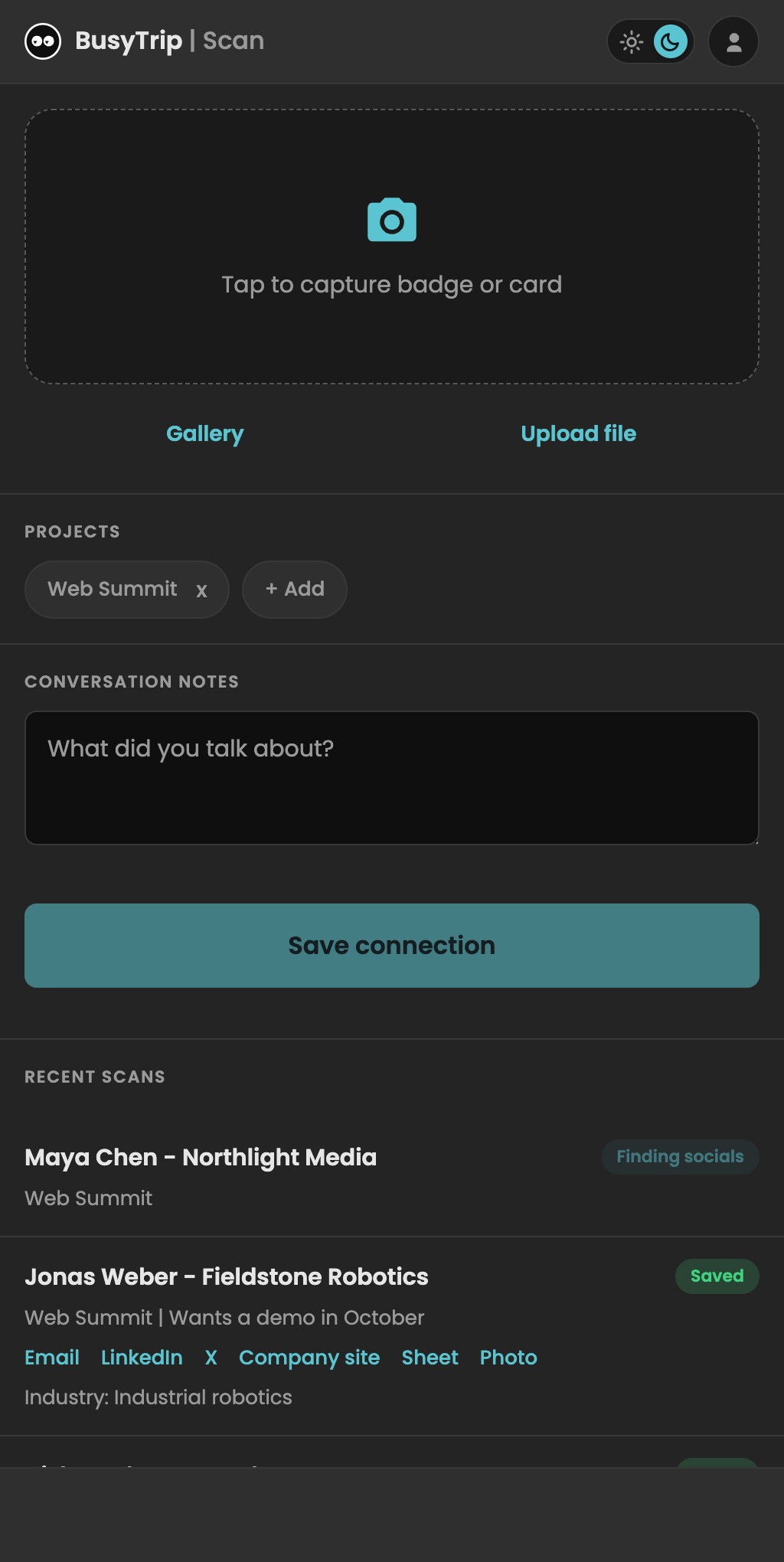
Save where you work.
From hello to follow-up
A photo. A few words.
A contact worth keeping.
Pick up where you left off.
Contact details, useful links, and notes in one place.
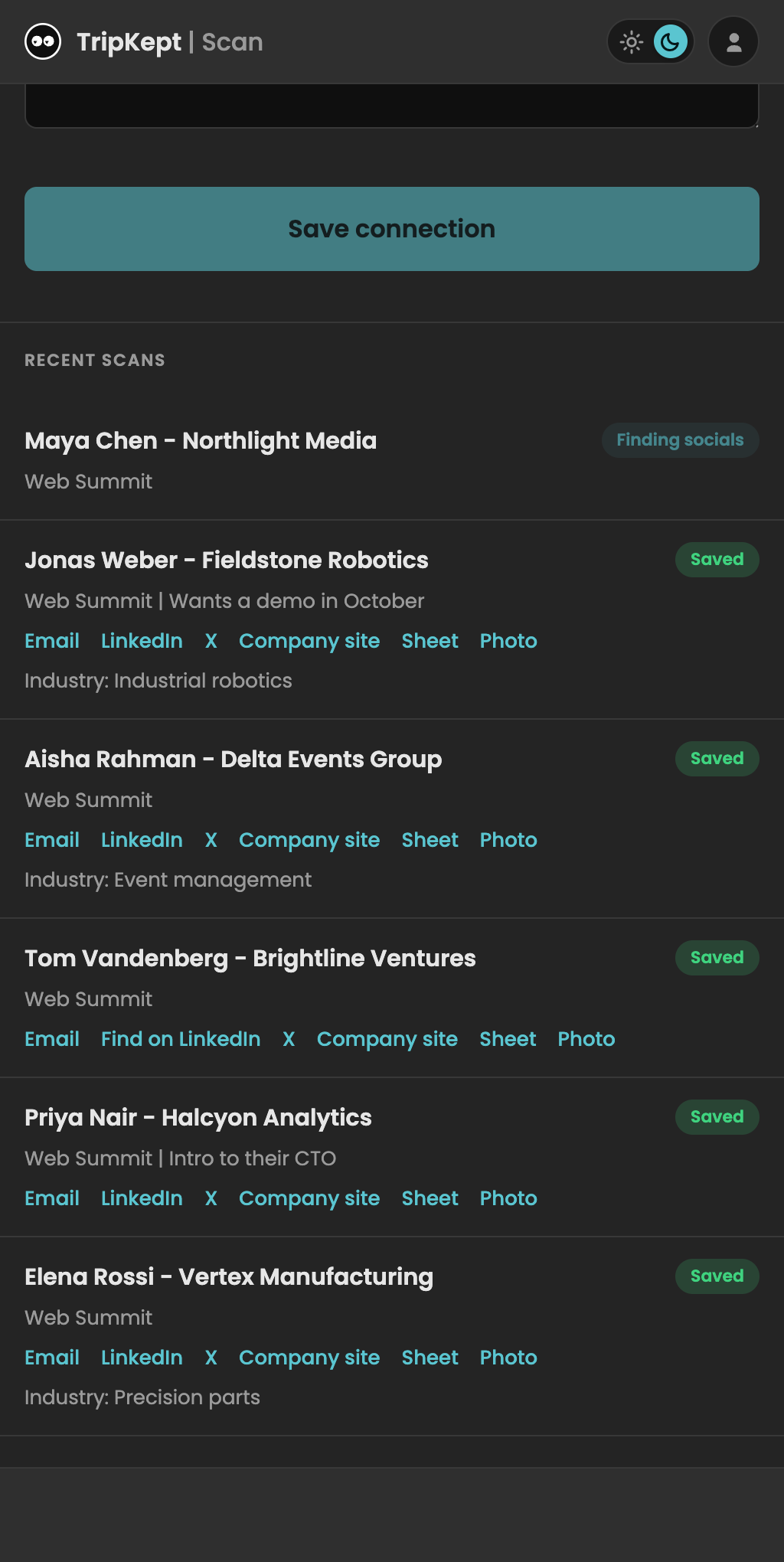
For teams
Everyone's contacts.
One shared view.
See who met whom, and what comes next.

Receipts, too
Less paperwork.
More trip.
Snap a receipt. Keep the photo and expense details together in Drive.
Explore receipt scanning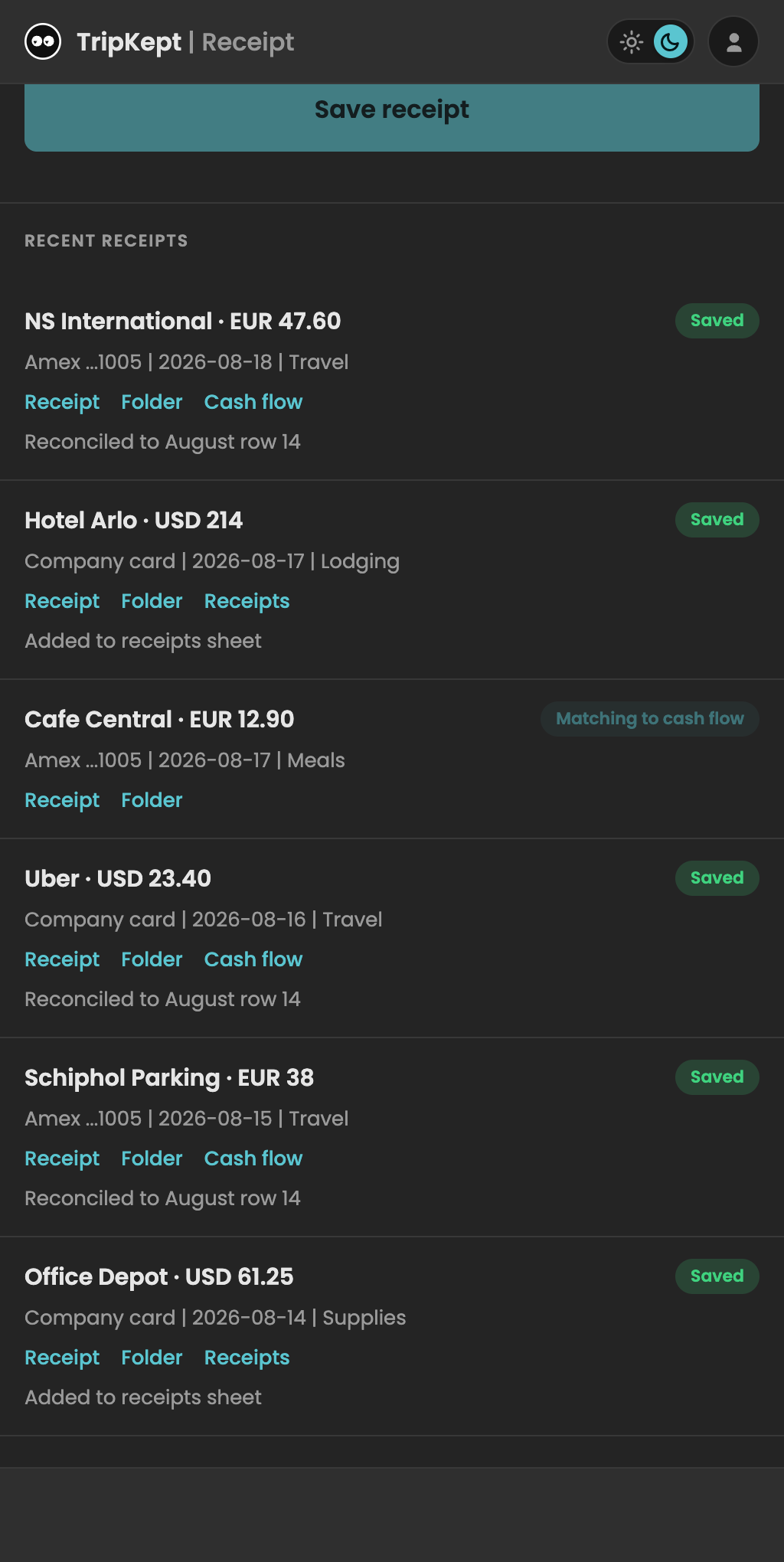
Pricing
Start free. Scan more when you need to.
Free
$0
10 scans per person, every month
- Badge, card, and receipt scanning
- AI extraction and enrichment
- Personal and shared team workspaces
Unlimited
$6.99 / person / month
$49.99 per person / year when billed annually
- Unlimited scans
- Everything in Free
- Renews automatically until canceled
FAQ
Questions
Where is my data stored?
Your selected Drive or CRM receives the saved result. BusyTrip keeps individual extracted scan history for up to 30 days and failed or duplicate originals for retry for up to 7 days. Shared team history remains until the team is deleted. Audio has separate processing and retention rules in our Privacy Policy.
Can my team scan into the same destination?
Yes. A team owner configures the destination and invites members. Team contacts show who scanned them and when. Receipt and finance access is granted separately. Personal scans stay separate unless you explicitly migrate them.
Does it work with my CRM?
Connect your own Notion or monday.com account, or use a compatible custom CRM through MCP. Choose an existing database or board, review the fields, and test the connection. Contacts and receipts need separate connections. Custom CRM compatibility depends on its tools, permissions, and mappings.
Can I record conversation notes?
Yes. With everyone's agreement, record or upload audio to generate an editable summary and key talking points. Review the notes before saving. Transcription is processed through OpenRouter and xAI; provider retention can be up to 30 days. See the Privacy Policy for details.
What if it reads something wrong?
Review names, public links, totals, dates, and generated notes before relying on them. You can edit conversation notes in BusyTrip and correct exported fields in the destination. Changes to independent copies do not automatically synchronize everywhere.
What happens when the signal drops?
With the scanner already loaded, supported photo captures can queue on your device. Keep the queued data until it uploads. Extraction, recording summaries, and destination delivery need a connection; check the saved status before closing the app.
How do I cancel or get a refund?
Open Settings > Billing in the app. Cancel online or request a refund within 30 days of your most recent payment. The money-back guarantee applies once per customer; your statutory rights are unaffected. Full details are in the Terms.