BusyTrip / Guides / Receipt scanner that saves to your own Google Drive

Guide

A receipt scanner that saves to your own Google Drive

Not an inbox of receipts inside someone else's app. A folder per month in your Drive, a sheet per month next to it, and the image filed where the row says it is.

The short answer: BusyTrip photographs a receipt, reads the date, vendor, amount, currency, category, which card or account paid, your note, and links to the receipt image and its folder, and files both the image and the row into a month folder in your Google Drive. Ten receipts a month are free.
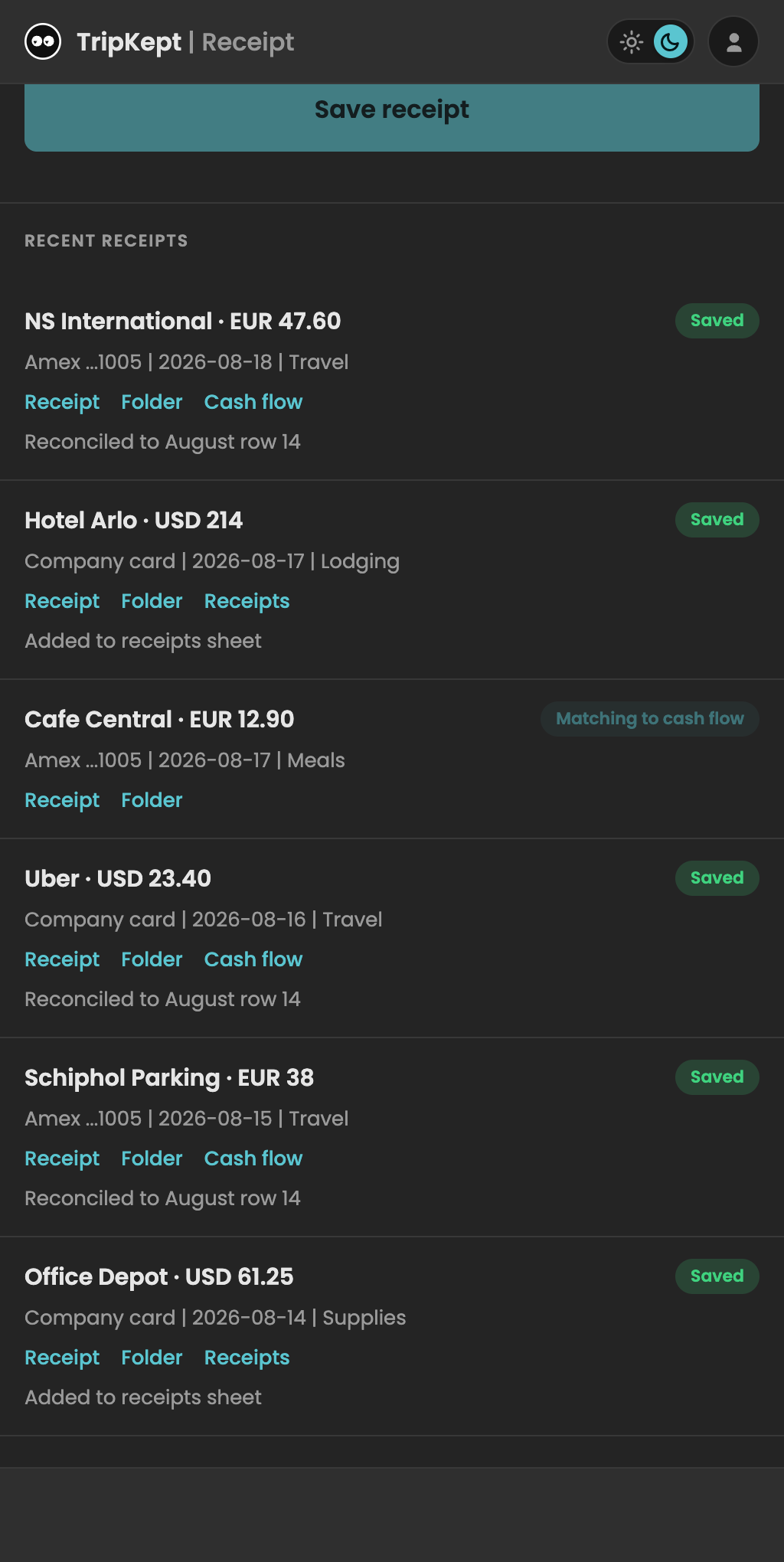
Receipts on the phone. Each one links to its file and its month folder in Drive.

Where things end up in Drive

BusyTrip creates one folder it owns and never touches anything outside it. Inside, receipts are organised by the date printed on the receipt, not the day you scanned it, so a taxi from the last day of a trip lands in the right month even if you scan it a week later.

  • BusyTrip / Receipts / 9 September 2026 / the receipt images for that month, one file per receipt, named after vendor and amount.
  • A Receipts sheet for the month with one row per receipt: date, vendor, amount, currency, category, which card or account paid, your note, and links to the receipt image and its folder.
  • A paid-from label per receipt so company card, personal card and cash stay separate in the same sheet.

Why filing by receipt date matters

Expense reports and VAT returns are organised by when the money was spent. A scanner that files by upload date puts your Thursday dinner into next month if you scan it on Monday. BusyTrip reads the date on the receipt and files accordingly. If the date cannot be read, the receipt still lands in the current month and the row says so, so nothing goes missing.

What is on the row

ColumnFilled by
Date, Vendor, Amount, CurrencyRead from the receipt
CategoryGuessed from the vendor and items; edit it in the sheet
SourceThe card or account you picked when scanning
NoteWhat you typed while scanning
Receipt, FolderLinks to the image and its month folder
ScannedTimestamp of the scan

What it is not

BusyTrip is not bookkeeping software. It does not connect to your bank, does not read your Gmail for e-receipts and does not push to QuickBooks or Xero. It gives you a clean, dated sheet and a tidy folder that your accountant, or a tool like those, can take from there. If you need the accounting side built in, ExpenseBot is the better fit.

Try it on a real card or receipt

10 scans a month free, no card required. Results land in your own Google Drive.

Open the app

FAQ

Questions

Can I choose the folder?

BusyTrip creates its own top-level folder on first use and files everything under it. You can move that folder anywhere in your Drive; BusyTrip tracks it by id, not by path.

Does it read foreign receipts?

Yes. Currency is read from the receipt, so a EUR receipt from Amsterdam and a JPY one from Tokyo both land with the right currency in the same sheet. No conversion is applied.

What about PDF receipts from email?

Upload the PDF from the phone's file picker. It is read and filed the same way as a photo.

What if it reads the total wrong?

Every row is in a normal Google Sheet, so fixing a number is one tap. The image is linked from the row for checking.

Is the free plan enough?

10 receipts a month is fine for occasional travel. Unlimited is $6.99 a month or $49.99 a year and also covers business cards and badges.