BusyTrip / Guides / Expense receipts to Google Sheets for freelancers

Guide

Receipts to Google Sheets for freelancers, without accounting software

You do not need a bookkeeping suite to stop losing receipts. You need the receipt in a folder and the numbers in a sheet, by month, before you forget.

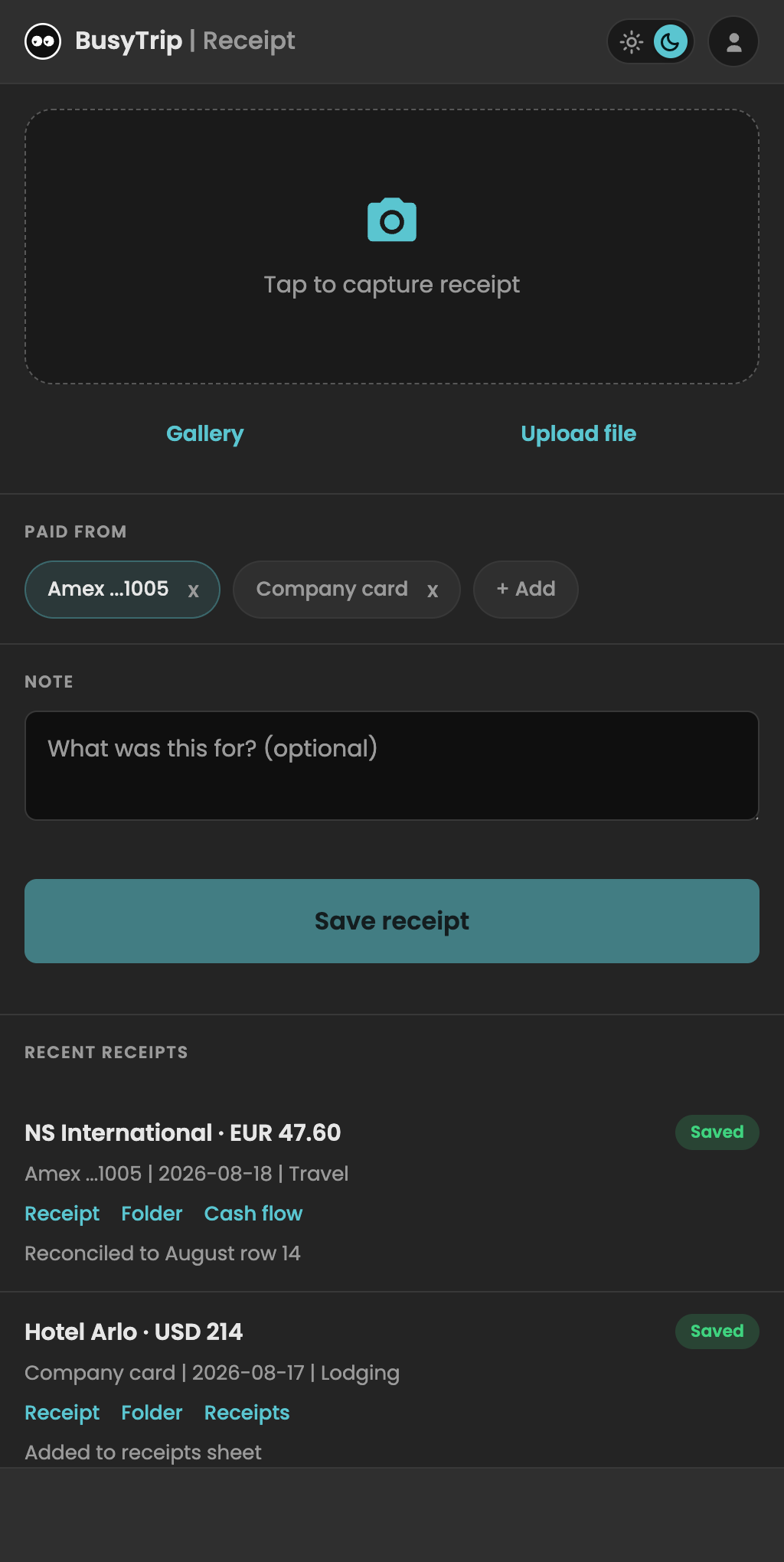
The short answer: photograph the receipt when you get it, tap which card paid, and BusyTrip files the image into that month's folder in your Google Drive and appends date, vendor, amount, currency and category to the month's sheet. At quarter end you share the folder with your accountant.
Pick the card that paid, add a note, save. Ten seconds.

The quarter-end problem

Freelance expenses fail at the collection step, not the accounting step. Receipts sit in a jacket, e-receipts sit in email, and at quarter end you reconstruct three months from card statements. Accounting suites solve this with bank feeds and rules, which is more than most freelancers want to pay for or set up.

A workflow that takes ten seconds per receipt

  1. Photograph it when you get it. Café, taxi, hotel checkout. BusyTrip is a web app on your home screen, so it opens in one tap.
  2. Pick the source. Business card, personal card, cash. This becomes the Source column, which is how you separate reimbursable from personal at quarter end.
  3. Add a word if it needs one. Client name, trip name. Optional, but it makes the sheet self-explaining.
  4. Forget about it. The image is in BusyTrip / Receipts / month, the row is in the month's sheet, filed by the date on the receipt.

What your accountant gets

A Drive folder per month with every receipt image, and a sheet per month with one row per receipt: date, vendor, amount, currency, category, which card or account paid, your note, and links to the receipt image and its folder. Share the BusyTrip folder once and they see every month as it fills up. No export step, no zip file of photos.

Honest limits

BusyTrip does not read your Gmail for e-receipts, does not connect to your bank and does not do VAT categorisation for you beyond a category guess you can edit. If you want those, ExpenseBot or a full accounting suite is the right next step. BusyTrip is the cheapest way to make sure every paper receipt exists in a sheet at all.

Try it on a real card or receipt

10 scans a month free, no card required. Results land in your own Google Drive.

Open the app

FAQ

Questions

Can I track receipts in more than one currency?

Yes. Currency is read from the receipt and written per row. Totals are left to your sheet, so you can convert with whichever rate your accountant wants.

Does it handle PDF invoices?

Yes, upload the PDF from the phone's file picker and it is read and filed like a photo.

What about business cards?

Same app, same price. The Badge tab handles cards and badges into a separate Connections sheet.

Is there a yearly plan?

$49.99 a year, which is about $4.17 a month. Monthly is $6.99. Both have a self-serve refund within 30 days.